How to verify Meta conversion tracking after a setup change
Follow a completed action through collection, Meta receipt, duplicate handling and campaign availability. Record what each check proves before claiming recovery.

Shahzada Ali Hassan
8 min read0 views

Get clinic leads counting again
Recover usable Lead and Purchase events on your existing domain.
$297/mo per subdomain
Start 7-day trialPayment method required. One trial per domain. Cancel during the 7-day trial.
Get a free consultationThe short answer
Verify a tracking change by following a completed action to the intended Meta source, checking duplicate handling, then confirming the campaign uses the intended event. Save the evidence for each step. A successful request shows one part of delivery. A test event shows receipt under the conditions you tested. Neither proves that every future conversion will be credited to an ad.
What does a successful tracking check prove?
A useful signoff says which stage you observed. Meta's Conversions API documentation treats receipt, deduplication and matching as verification tasks. Keep those checks separate from advertising outcomes. If Meta already marks the event restricted or unavailable, skip to what to do next.
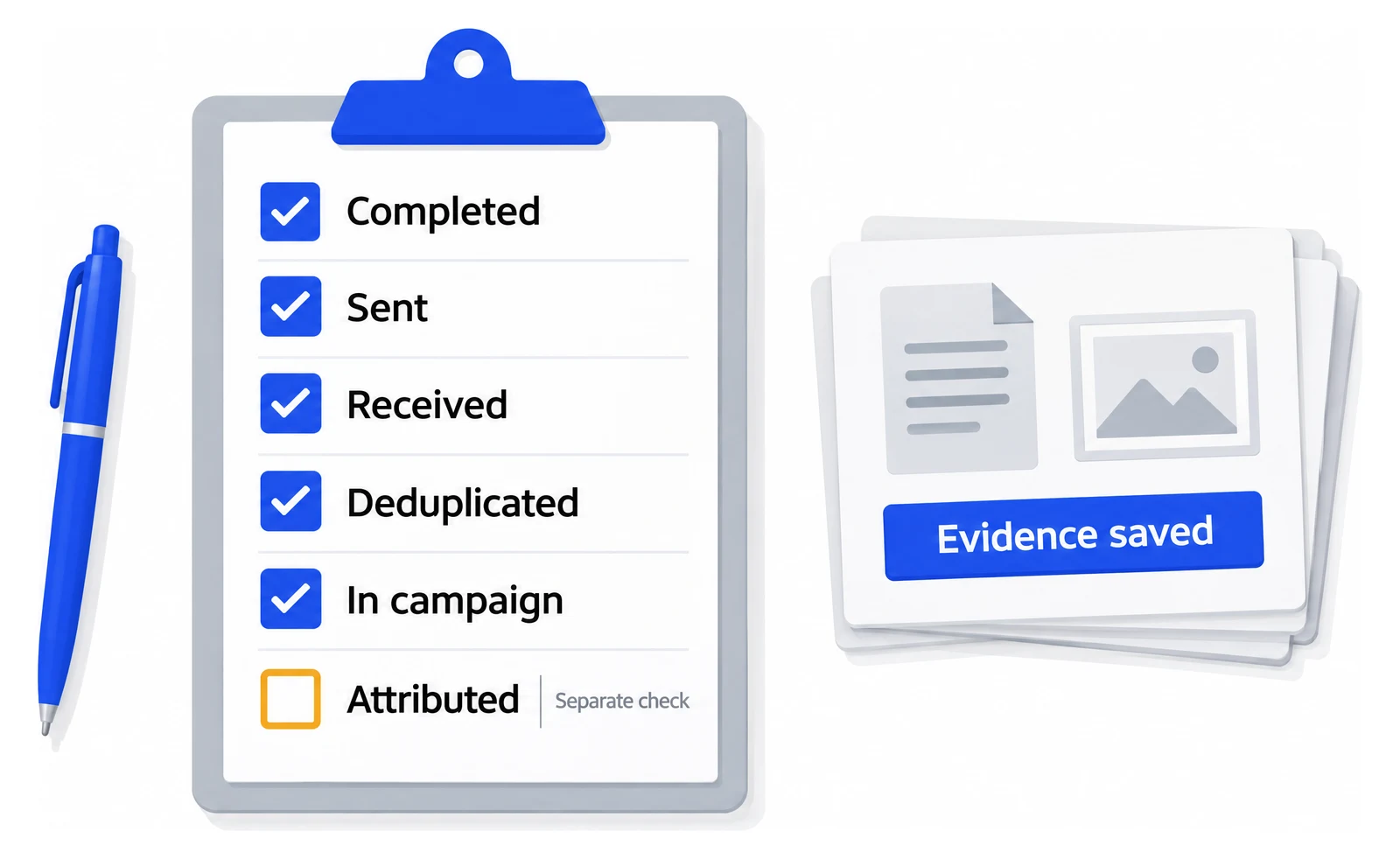
Five checks you can tick, one you cannot
- Completed in the business tool
- Sent by the integration
- Received on the intended source
- Deduplicated across senders
- Selected by the ad set
- Attributed to an adSeparate check
Evidence record
What you observed, with its limitsA received event is not an attributed one.
The form or scheduler confirms completion
- What you can say
- The website accepted this action
- What remains unproven
- That Meta received its event
The integration sends a request
- What you can say
- The sending step ran
- What remains unproven
- That the right source received a usable event
The intended event appears on the intended Meta source
- What you can say
- Meta received that event in this check
- What remains unproven
- Ad credit or long-term reliability
One completion has consistent duplicate handling
- What you can say
- The tested senders handle this completion as intended
- What remains unproven
- Every untested route or browser
The ad set uses the intended source and event
- What you can say
- Campaign configuration matches the tracking plan
- What remains unproven
- That a particular test action qualifies for attribution
A genuine ad-driven conversion appears in reporting
- What you can say
- Meta attributed that activity under the report settings
- What remains unproven
- Total accuracy or a causal performance lift
How do you run a controlled test after a change?
Choose one actual conversion path and write the expected action, event name and source ID before testing it. Use test details approved by the clinic and avoid treatment information in event payloads, screenshots or shared logs.
- Record the change being checked, the intended source ID, event name and test start time.
- Open the real website conversion path. Record the browser and consent state rather than silently removing consent controls.
- Complete the action once and confirm it exists in the business system.
- Inspect the trigger or integration evidence for that action. Check that it sends the intended event to the intended source.
- Inspect the intended Meta source for the event and relevant warnings. Record the observed receipt time.
- Check the event configured in the ad set. Record restrictions or unavailable options that stop it serving the intended campaign job.
- Save a redacted evidence record, including any stage you couldn't verify.
For a completed appointment, follow the form and booking procedure. If an event disappears between steps, use the missing-conversions diagnostic to investigate that step.
Crisper's setup expectation is that events can appear in Events Manager within about 30 minutes after tracking is correctly installed and events fire. That timing describes initial visibility. It doesn't establish ad attribution, completed learning or future campaign performance.
How do you rule out duplicate conversions?
Inspect every sender for the same completed action before accepting the count. If browser Pixel and Conversions API send the same conversion, Meta's end-to-end guidance specifies the same event_name and event_id for deduplication.
An event ID identifies the action, not just the person. A second genuine enquiry needs its own event identity. Sending two copies of one enquiry with different IDs defeats the purpose of that shared identifier.
- List the native integration, browser tags and server integrations that can send this conversion.
- Check whether Meta added the event itself. Open the dataset's Settings tab and look under Event setup for Automatic events and the events it lists.
- For a shared browser/server event, compare the event names and identifiers for the same completion.
- Reload the confirmation page and inspect whether it creates an unwanted second completion event.
- Repeat with a new approved action to check that the duplicate guard doesn't suppress a genuinely new conversion.
- Record which paths you checked. Keep any untested form or booking route out of the signoff.
Meta can now be one of those senders. With automatic events, AI identifies standard events such as leads or purchases on the website and adds them without code. Since 3 August 2026, Meta can ask about the feature when a new pixel is set up, and the UK edition of that page says the setting is on by default. When it adds an event, Meta emails "Meta updated pixel events on your website". Meta's troubleshooting page lists Duplicate events detected for an event "logged using your website's source code and as an automatic event". Turning the feature off in Settings keeps the event your site code sends.
Meta's automatic events overview points the other way: automatic events are de-duplicated from events you set up yourself. Read the dataset's diagnostics instead of trusting either page. Keep the added event only if it marks the real success action and nothing else sends it; turn it off if it duplicates your own event or fires on the wrong action. Meta's pages do not say automatic events change a data sharing restriction, so a restricted Lead stays a restriction question.
Local duplicate guards and Meta's browser/server deduplication solve different parts of the flow. A cookie that prevents a confirmation-page replay doesn't prove that another integration sends the same event ID.
Can you verify ad attribution with a test submission?
A test submission can verify collection and receipt without qualifying for ad credit. Meta's attribution settings determine which interactions and time windows can credit a conversion to an ad. An organic test action alone can't prove that link.
Record the campaign's model and settings, then review genuine permitted ad-driven activity under those settings. Don't click your own ads repeatedly to manufacture a reporting total or call one received event a performance result.
If Ads Manager and the CRM still show different totals, use the reconciliation worksheet. A verified collection path can coexist with different attribution definitions.
What should your tracking signoff contain?
Use a record that another operator can repeat. Name the exact checks that passed and the missing evidence. Avoid the unqualified statement that all tracking works.
Scope
- What to save
- Website path, business action, source ID and event name
Test conditions
- What to save
- Date, time zone, browser, consent state and integration version or change
Completion evidence
- What to save
- Redacted business record and completion timestamp
Collection and receipt
- What to save
- Trigger/request evidence and the corresponding received event
Duplicates
- What to save
- Senders inspected, identifiers and replay/new-action checks
Campaign use
- What to save
- Selected source/event and any restriction warnings
Attribution
- What to save
- Model, window and whether genuine ad attribution was observed
Limitations
- What to save
- Untested routes, unavailable evidence, owner and next check
For example, you may establish that one approved form completion reached the correct source while ad attribution remains unverified. That is a useful partial result. It gives the next operator a specific question instead of a blanket success claim.
What if the event still cannot serve the intended campaign?
Inspect the exact warning before changing another tag. A received event and a usable event are different checks. Read the restriction guide if Meta identifies the source or event as restricted.
If the restriction is confirmed, a fix has to make the standard event usable on the intended source, not just received. Crisper is built for that case: it recovers the standard event server-side on the clinic's existing domain, so Lead and Schedule can be usable without a new domain, redirect landing page or pixel reset. The recovery setup section on the homepage describes it. Apply the same evidence checks after setup. Crisper doesn't turn a successful request into proof, win an appeal or make every business record ad-attributed.
Scaled AI runs Meta lead-gen for addiction treatment and behavioral health centers. It has 10+ treatment-center domains recovered on Crisper, with usable Lead events on the same restricted domains. The Scaled AI case study shows the setup and the result in its own words.
Setup takes about 5 minutes when you have DNS access, access to the Meta integration and the ability to add the tracking snippets, and the founder sets up the first client domain with you. Once tracking is installed and events fire, they can appear in Events Manager within about 30 minutes, so run the controlled test above after that.