Calendly recorded the bookings on its own domain, so Google Ads could not credit the ads behind them.
Jacob Monash Consulting · Email marketing consulting · 2024–2025
Upwork review on the December 2024 project
“Shahzada's work was very well-done, and he supplied a full report of the changes he made, which was impressive and above and beyond what I expected. I do think my request was a bit outside of his usual expertise and I wish we had taken some more time to clarify the project, but otherwise I'm very happy with the outcome.”
Jacob MonashFounder, Jacob Monash Consulting
Jacob Monash runs an email marketing consultancy. New clients book an intro call through a Calendly embed or sign up through an OptinMonster popup on his Squarespace site. In December 2024 he wanted to know which Google Ads brought in each booking.
Moving the conversion onto his own domain
Bookings reached GA4 through Calendly's own integration, which recorded them from Calendly's domain while the Google Ads click ID sat on his. So the campaigns were not getting credit.
Shahzada, now Crisper's founder, set up Google Tag Manager on the site, removed Calendly's integration, and tracked the Calendly and OptinMonster conversions from the site's own domain. He built a Looker Studio report on traffic and conversions and documented every change.
Calendly runs in an iframe, so the click ID cannot be passed into the booking itself. Instead, the report lists each booking with its date and time, and Jacob matches it to the Calendly confirmation email to see who booked. In a February 2025 follow-up, Shahzada built a GA4 report for OptinMonster interactions.
Facts come from the Upwork project thread and Jacob's public Upwork review. A tracking project by Shahzada Ali Hassan, Crisper's founder.
Check your restriction.Walk through the restriction on your domain.
Bring your website URL or an Events Manager screenshot. We'll check the restriction and explain whether Crisper can help.Bring an Events Manager screenshot or your website URL. We'll identify the restriction level, whether it affects Core Setup, standard events, or the full domain, and explain whether Crisper can help.
“Hassan resolved a complex GTM issue in just one hour, after I had spent nearly a month working with Google Support with no success. His expertise is exceptional, and I highly recommend his services!”
Luis BoaniUpwork review, October 2024Read the case study
Payment method required at checkout. One trial per domain. The 30 minutes start once tracking is installed and events fire; it is visibility in Events Manager, not same-day ROAS.
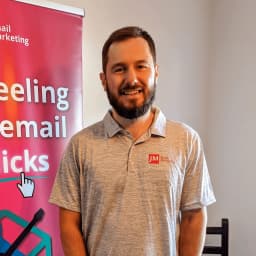 Jacob MonashFounder, Jacob Monash Consulting
 Luis BoaniUpwork review, October 2024