All guides

Add To Cart

Every tracking guide tagged Add To Cart.

  • 10Guides
  • 9Video walkthroughs
  • 16Topics

10 guides

  • Video

    WooCommerce

    WooCommerce Facebook Pixel: Add To Cart Ecommerce using DataLayer & Google Tag Manager

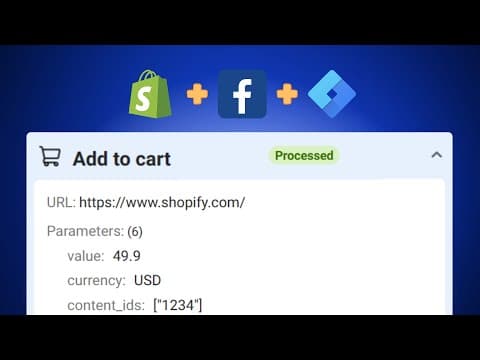
    Learn how to configure the Facebook Pixel Add to Cart event on your WooCommerce store using Google Tag Manager. This comprehensive guide covers setting up Google Tag Manager, adding the necessary data layers, and ensuring accurate event tracking for better Facebook Ads targeting.

    • facebook pixel
    • Google Tag Manager
    • WooCommerce
    • +1

    4 min read

  • Video

    WooCommerce

    WooCommerce Ga4: Add to Cart Enhanced Ecommerce Event using GTM and DataLayer (Part 3/5)

    Tracking "Add to Cart" events provides valuable data about which products attract the most interest and are likely to be purchased. This action is a strong indicator of buying intent. By analyzing this data, store owners can optimize their product placements and promotions to maximize conversions. Furthermore, detailed reports from tools like Google Looker Studio and Google Analytics can show the journey from product views to purchases, helping you fine-tune your marketing strategies.

    • Google Analytics 4
    • WooCommerce
    • WordPress
    • +2

    3 min read

  • Video

    Google Ads

    A Comprehensive Guide on Adding Products to Cart and Tracking Conversions with Google Ads and Shopify

    Google Ads Dynamic Marketing is exceptionally effective in utilizing e-commerce event data, including product details, IDs, and names, for creating precise and efficient marketing strategies. By the end of this guide, you'll learn how to set up Add To Cart event tracking and transmit dynamic parameters to Google Ads.

    • Google Ads
    • Shopify
    • Google Ads Conversion Tracking
    • +2

    2 min read

  • Video

    Google Ads

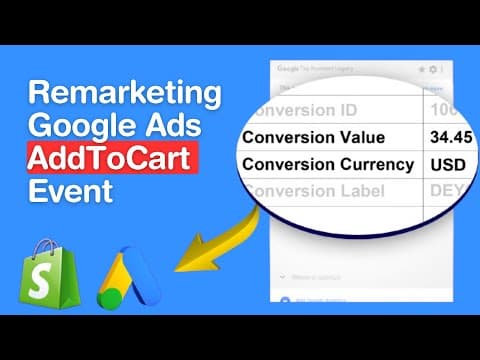
    Google Ads Remarketing Tracking: Shopify AddToCart Tracking with GTM and DataLayer

    Google Ads Dynamic Marketing is exceptionally effective in utilizing e-commerce event data, including product details, IDs, and names, for creating precise and efficient marketing strategies. By the end of this guide, you'll learn how to set up Add To Cart event tracking and transmit dynamic parameters to Google Ads.

    • Google Ads
    • Shopify
    • Google Ads Remarketing Tracking
    • +2

    2 min read

  • Video

    TikTok

    Tracking TikTok Pixel Add to Cart Events on Shopify with Google Tag Manager

    In this comprehensive blog post, we explore how to effectively track Add to Cart events in Shopify stores using Google Tag Manager. Understanding and capturing these events is pivotal for e-commerce analytics, providing valuable insights into consumer purchasing behavior. Implementing accurate tracking of these events is essential for optimizing conversion rates, enhancing customer experience, and refining marketing strategies.

    • Add To Cart
    • Shopify
    • Google Tag Manager

    8 min read

  • Video

    Shopify

    Facebook Pixel Setup for Your Shopify Store

    Welcome to our comprehensive guide on configuring the Facebook Pixel for your Shopify store. This easy-to-follow tutorial is designed to help you track key events like PageViews, ContentViews, AddToCart, BeginCheckout, and Purchase across your sales funnels with a simple one-click solution.

    • facebook pixel
    • Shopify
    • Add To Cart
    • +4

    2 min read

  • Video

    Shopify

    GA4 AddToCart Event on Shopify using Google Tag Manager

    When a user adds a product to their cart, it signals intent, interest, and a step closer to conversion. Tracking this event provides crucial data that can drive retargeting campaigns, improve product visibility, and enhance the overall shopping experience. Moreover, understanding the nuances of this action helps in reducing cart abandonment rates.

    • Google Analytics 4
    • Shopify
    • Google Tag Manager
    • +1

    8 min read

Get new guides by email

Subscribe to new guides

Use your business email and first and last name. We email you when a new guide is published.

Free to subscribe

By subscribing you agree to our Privacy Policy.

Set up in about 5 minutes. Events in Events Manager within about 30.

~5 min setupwithin ~30 min
Setting up
  • 7-day free trialon every eligible domain, one per domain
  • $297/moper subdomain
  • We set up the first domain with youfounder included
  • 30-day money-back guaranteeand cancel any time in the trial
  • We keep working with youuntil it is fixed

Payment method required at checkout. One trial per domain. The 30 minutes start once tracking is installed and events fire; it is visibility in Events Manager, not same-day ROAS.