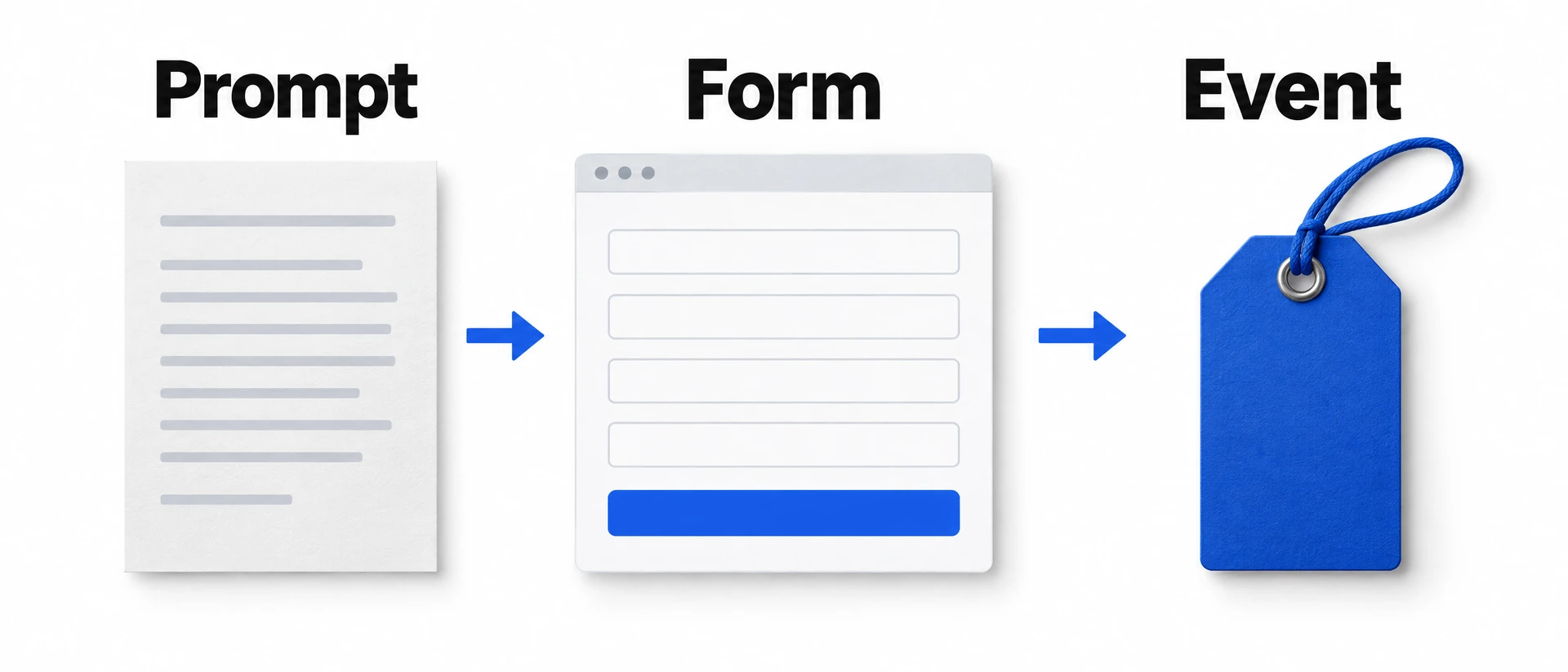
Track Acuity bookings on Squarespace with Google Tag Manager
Send each confirmed Acuity booking on your Squarespace site to Google Tag Manager with two tested scripts, then check one booking before your tags use it.

Shahzada Ali Hassan, founder of Crisperchecked against 17 sources
The short answer
To track Acuity bookings on a Squarespace site with Google Tag Manager, paste a sender into Acuity's custom conversion tracking and a listener into GTM. Acuity runs the sender on its booking confirmation, and the listener puts submit_application, plus purchase for bookings priced above zero, into your data layer. Test one booking in Preview, then publish.
- Acuity runs custom tracking code in a frame on its booking confirmation, at
sandbox.acuityinnovation.com. - Acuity's variables give the booking type, ID, total price and email. There is no name or phone.
%price%is the total appointment price. It equals money collected only when bookings are paid in full.- If Google Analytics reports are all you need, Acuity's own GA4 integration does that without code.
- Steps checked against Acuity, Squarespace and Google help pages, and the scripts against automated tests, on 5 November 2026.
FREE AUDIT
NO LOGINCheck what Meta and Google can count on your site
- Your site
 Crisper
- Meta and Google count it
Enter your website to see how good its tracking is, and whether Meta is likely restricting it.
01Do you need custom code to track Acuity bookings?
Only if your own tags need the booking. Acuity's Google Analytics integrationhelp.acuityscheduling.com already sends a purchase event when a client finishes booking, and Acuity also offers a Meta Pixel integrationhelp.acuityscheduling.com. Custom code is for when Google Tag Manager on your site has to see the booking, for example to send it to Google Ads or to a server-side setup.

Acuity's Google Analytics integration
- Confirmed bookings in your GTM tags
- Noit sends to Google Analytics directly
- What it takes
- A Measurement ID and an API secret in Acuity
A GTM click trigger on the booking button
- Confirmed bookings in your GTM tags
- Noa click isn't a finished booking
- What it takes
- A trigger in GTM
The sender and listener in this guide
- Confirmed bookings in your GTM tags
- Yesat Acuity's confirmation
- What it takes
- One field in Acuity, one tag and two triggers in GTM
Acuity is clear about the limits. Its help pagehelp.acuityscheduling.com says custom code is outside its support scope, that it can't guarantee compatibility with Squarespace, and that Google Tag Manager on a site where Acuity is embedded "may not track appointment attributions correctly". That is why this guide ends with a test booking you check yourself.
Before you start, you need:
- Acuity shown on your Squarespace page with a Scheduling blocksupport.squarespace.com, from an Acuity account attached to the site or a standalone one.
- Your GTM container on every page, usually in the Header field of Squarespace's code injectionsupport.squarespace.com, which needs a Core, Plus or Advanced plan or some legacy plans.
- Edit access to Acuity's Integrations and to your GTM workspace.
- An appointment type you can book as a test, ideally one with a price so you see both events.

02How does a booking get from Acuity to your tags?
Your page and Acuity's confirmation are different frames, so your GTM can't see the confirmation directly. Acuity loads custom code in a frame on the confirmation clients seehelp.acuityscheduling.com, on sandbox.acuityinnovation.com. The sender runs there and talks to your page with postMessagedeveloper.mozilla.org, the browser's way for two frames to send each other messages.

A visitor books
They complete a booking in the Scheduling block on your page.
Acuity runs the sender
In a frame on its confirmation, with the booking's type, ID, price and email filled in.
Sender and listener exchange messages
The sender tells your page it is ready, your listener asks with a one-use code, and the sender answers your site only.
Your tags fire
The listener pushes
submit_application, andpurchasefor a booking priced above zero, into the data layer.
The listener never reads Acuity's form. It only gets what Acuity's variables supply.
How the two scripts below work together. Acuity's side is from its custom tracking pagehelp.acuityscheduling.com.
03Which events and values does a booking send?
Every confirmed appointment or order sends submit_application. In Acuity, an order is a package, gift certificate or subscription. A booking with a price above zero also sends purchase. Both carry an ecommerce object and the client's email in user_data.email, which Acuity supplies through its %email% variablehelp.acuityscheduling.com.
submit_application
- When
- Every confirmed appointment or order
- Value
- The booking's total price, or null if Acuity supplies none
- Transaction ID
- None
purchase
- When
- Only when the total price is above zero
- Value
- The booking's total price
- Transaction ID
acuity-<type>-<id>
<type> is appointment or order, <id> is Acuity's booking ID.The value comes from %price%, which Acuity defines as the total price of the appointments bookedhelp.acuityscheduling.com. It is the booking's price, not proof of payment. If you take deposits or let clients pay later, label it booking value in your reports and reconcile payments separately.
Paid in full
- Acuity's price
- 305.00
- Events sent
submit_applicationandpurchase, both 305
Deposit of 25 on a 305 treatment
- Acuity's price
- 305.00
- Events sent
- Both, with value 305, not 25
Free consultation or a coupon to zero
- Acuity's price
- 0.00
- Events sent
submit_applicationwith value 0, nopurchase
Price missing or not a number
- Acuity's price
- Unknown
- Events sent
submit_applicationwith value null, nopurchase
When you connect these to Meta, pick names from Meta's standard eventsdevelopers.facebook.com: Purchase for a booking priced above zero, and Lead or Schedule ("When a person books an appointment to visit one of your locations") for submit_application. Use one and keep it, so your campaigns optimise on the same event over time. If gift certificates or packages shouldn't count as bookings, add a trigger condition on a Data Layer Variable for ecommerce.items.0.item_id that starts with acuity-appointment-.
04How do you add the sender in Acuity?
- In Acuity, click Integrations.
- In the Analytics + Custom Integrations section (another Acuity page calls it Analytics & conversion tracking), click Set up for Custom conversion tracking.
- In the HTML tracking code field, paste the whole script below, including both script tags. If an older copy of this sender is there, replace it rather than adding a second.
- Change
'https://www.example.com'to your site's origin:https://and the host name the browser shows, withwww.if you use it and a port only if the address shows one, but no page path. For a booking page athttps://www.yourclinic.com/book, use'https://www.yourclinic.com'. - Change
'EUR'to your Acuity account's three-letter currency code, such as'USD'. The sender sends it in capitals, which is the form tags expect. - Click Save settings.
Done when reopening the field shows the script once, with your site's address and your currency. Keep %type%, %id%, %price% and %email% exactly as written: Acuity fills them in when it runs the code, and its page lists themhelp.acuityscheduling.com. Pasted into Squarespace instead, they would stay as plain text.
<script type="text/plain" id="crisper-acuity-email">%email%</script><script>(function () { var siteOrigin = 'https://www.example.com'; siteOrigin = String(siteOrigin).replace(/^\s+|\s+$/g, ''); if (!/^https?:\/\//i.test(siteOrigin)) siteOrigin = 'https://' + siteOrigin; siteOrigin = siteOrigin.replace(/^(https?:\/\/[^\/?#]+).*$/i, '$1').toLowerCase(); var type = String('%type%').toLowerCase(); var id = String('%id%');
61 more lines of HTML
- Copy and download
- Emailed to you
Unlock this snippet
Three details, and the full code is yours
No account needed. Unlock once and every snippet on the blog opens.
05How do you add the listener in Google Tag Manager?
- In your GTM workspace, click Tags, then New, and choose Custom HTML.
- Paste the whole listener below, including the script tags. Name the tag so you can find it, such as
Acuity booking listener. - Under Triggering, choose Initialization - All Pages, the trigger Google designs to fire before all others except consentsupport.google.com. Save.
- Click Triggers, then New, and choose Custom Eventsupport.google.com. Set Event name to
submit_application, leave regex matching off, and keep All Custom Events. Save. - Create a second Custom Event trigger the same way, with Event name
purchase.

Done when you have one listener tag on Initialization and two Custom Event triggers, one for each event name. Event names are case-sensitive.
<script>(function () { if (window.__crisperAcuityListenerV1) return; window.__crisperAcuityListenerV1 = true; var seen = {}; var pending = []; function userData(input) { var out = {};
108 more lines of HTML
- Copy and download
- Emailed to you
Unlock this snippet
One form opens every snippet on the blog
Then attach the triggers to the tags you already use. Create Data Layer Variablessupport.google.com for ecommerce.value, ecommerce.currency and ecommerce.transaction_id, and map them into each tag's value, currency and transaction ID fields. For a GA4 purchase tag, the WooCommerce GA4 purchase guide walks through the same purchase event in GTM.
Treat user_data.email differently: it is the client's email address, so it never goes in an ordinary event parameter or custom dimension. Google Analytics doesn't allow email addressessupport.google.com in the data it receives. Its user-provided data collectionsupport.google.com takes consented contact details only after you turn it on and link Google Ads, and it isn't available to properties in the Health industry category. For Google Ads enhanced conversions, Google's stepssupport.google.com put the email in a User-Provided Data variable on the Google tag. If none of your tags has a field like that, leave the email unused.
06How do you test a booking?
- In GTM, click Preview, enter the URL of the page with your Scheduling block, and click Connect (Google's stepssupport.google.com). Done when the page shows as Connected and your listener tag has fired on Initialization.
- In that window, book your test appointment type through to Acuity's confirmation. A priced test booking may charge a card, so use a low-priced test type and cancel or refund it afterwards. Done when Acuity lists the new booking. Opening the calendar or reaching payment isn't enough.
- In Tag Assistant, find
submit_application, thenpurchaseif the booking had a price. Done when each shows the booking's value, your currency and the email, andpurchasehasacuity-appointment-(oracuity-order-for a package) followed by the booking ID. - Check the tags. Done when each tag you attached fired once on its event, and no other tag sent the same booking again.
- If the same confirmation loads again in that tab, for example after a reload, check the events. Done when no new ones appear. The listener remembers each booking for that tab.
- Check each destination's own test view, such as GA4's DebugView or Meta's Test events. Done when the booking arrives in each one. If it doesn't, use the list below before going on.
- Publish the container. In GTM, click Submit, keep Publish and Create Version, check Workspace Changes lists the listener tag, the two triggers, your new variables and the tags you attached them to, and nothing you didn't mean to change, name the version and click Publish (Google's stepssupport.google.com). Until you do, only Preview runs your changes. Done when GTM confirms the version is published. If you can't publish, send the workspace to whoever can.
- Make one more booking on the live page, outside Preview. DebugView shows only debug-mode trafficsupport.google.com, which Preview turns on, so check the live reports instead: in GA4, Reports, then Realtimesupport.google.com, which shows the last 30 minutes. Done when the booking appears there and in each other destination's own reports. This live booking counts as a real conversion in your ad accounts, so expect one, and cancel or refund the booking.
If something doesn't show up:
- The listener fired but no events came after the booking: check that the site origin in the sender matches the booking page's host name (
www.or not), that the sender saved in Acuity, that the booking reached the confirmation, and that Preview is connected to the page with the Scheduling block. - An event appears but a tag doesn't fire: check the trigger's event name matches exactly, in lower case, and that it fires on All Custom Events.
submit_applicationarrives butpurchasedoesn't: the booking's price was zero or missing, which is by design, or the currency in the sender isn't a three-letter code.- Two of each event per booking: there are two senders in Acuity or two listeners in GTM. Keep one of each.
- Two purchases in GA4 or Meta for one booking: Acuity's own Google Analytics or Meta Pixel integration is also on. Turn it off for any destination this pair now feeds.
07For your developer: how do the scripts protect the booking data?
MDN advises checking a message's origindeveloper.mozilla.org before trusting it. This listener doesn't, on purpose. Acuity documents the confirmation frame's domain but not how it is framed inside a Scheduling block, and a frame sandboxed without allow-same-origin gets an opaque origindeveloper.mozilla.org that reaches your page as null. In our tests of a nested sandboxed frame, that is what arrived, so an origin check could drop real bookings.
What the pair does instead:
- The sender sends its messages, including the email, only to your site's address, and answers only a request from that address. A page elsewhere that embeds your scheduler gets nothing.
- The listener answers only a frame nested inside your page, never a popup or another tab, with a one-use code from
crypto.getRandomValues, and accepts the booking only from that frame with that code. - It drops a message unless it is an
appointmentororderwith a numeric booking ID. A price that isn't digits with up to two decimals, or a currency that isn't three capital letters, becomes unknown (null) instead of a guess, and an unknown price sendssubmit_applicationonly. - The sender also reads an optional
window.crisperAcuityConfirmationDataobject, so a developer can supply the currency or contact fields from inside Acuity's frame, and the listener still accepts an older sender that names its first eventgenerate_lead. Neither is needed for this guide. - It copies only known contact fields, drops any with control characters, and clears the previous event's
user_dataandecommercewithundefinedbefore each push. - It pushes each booking once per tab, using session storage, with page memory as the fallback.
The remaining risk is a fake booking sent by another frame embedded in your page, such as a third-party widget. Keep embeds on your booking page to ones you trust, and if you report money from these events, reconcile them against Acuity's own records rather than relying on browser events alone.
08What does this setup leave untracked?
- Steps before the confirmation, such as opening the calendar or the form. The sender runs only at the end.
- Bookings you add yourself in Acuity. There is no client confirmation, so the sender doesn't run.
- Name, phone and address. Acuity's variables include the email only, and the scripts never read the form.
- Visitors whose browser blocks or trims tracking. Acuity noteshelp.acuityscheduling.com that some browsers, such as Safari, can stop its events reaching Google Analytics, and Safari's 7-day cookie limit affects attribution too.
- Consent. Neither script grants or changes it; keep your site's consent settings on the tags you attach.
09Which Acuity tracking mistakes should you avoid?
Pasting the sender into Squarespace code injection
- What it costs
- The
%…%variables never get filled in, so no booking data arrives. - Fix
- Paste it in Acuity's custom conversion tracking field.
Reporting booking value as cash received
- What it costs
- Deposits and pay-later bookings show the full price as if paid.
- Fix
- Label it booking value and reconcile payments separately.
Keeping an old sender or listener next to this pair
- What it costs
- The same booking can be counted twice.
- Fix
- Keep one sender in Acuity and one listener in GTM.
Leaving Acuity's own GA4 or Meta integration on as well
- What it costs
- Acuity's integration and this pair can both report the same booking.
- Fix
- Use one route per destination: turn Acuity's integration off where this pair sends.
10What does this Acuity booking guide cover?
Acuity's booking confirmation runs inside its own frame, so your Squarespace site's tags don't see the booking on their own. The new guide gives you two copy-paste scripts that pass each confirmed booking to Google Tag Manager, and the checks to confirm it works before your tags rely on it.
How the Acuity and Google Tag Manager setup works
Where to find it: Guides → Google Tag Manager → Track Acuity bookings on Squarespace
You paste a sender into Acuity's custom conversion tracking and a listener into Google Tag Manager. Every confirmed appointment or order sends submit_application, and a booking priced above zero also sends purchase. Both carry the booking value, your currency and the client's email.
When to use it: When you take bookings with Acuity on a Squarespace site and want them in Google Analytics, Meta or your other ad platforms.
Steps with a check at each one
Where to find it: Guides → Google Tag Manager → Track Acuity bookings on Squarespace
Each step ends with a done-when check. You test one booking in Preview, publish the container, then confirm a live booking in GA4 Realtime. The guide also covers which Meta events to map the bookings to, troubleshooting, double counting with Acuity's own integrations, and a section for your developer.
When to use it: When you or your developer are setting it up.
If you use Crisper
Where to find it: Guides → Google Tag Manager → Track Acuity bookings on Squarespace
You don't add the listener: Crisper's tracking already includes one for Acuity confirmations. The matching sender is added in Acuity with you during setup.
When to use it: When Crisper already runs your tracking.
What the setup leaves untracked
The scripts run only on the booking confirmation, so they miss earlier steps and bookings you add yourself in Acuity. They send the email but not the name, phone or address, and they do not grant or change consent. The live test booking counts as a real conversion in your ad accounts.
Read next
- Track Acuity bookings on Squarespace with Google Tag Manager: The full guide, with both scripts and every check.
- Safari's 7-day cookie limit: how to keep ad attribution: Why Safari visitors who book after a week can look new.
- Free Meta Restriction Check: See what your booking page already sends.
11What if you use Crisper?
Then you don't add the listener: Crisper's tracking already includes one for Acuity confirmations on your site. The matching sender is added in Acuity with you during setup, and bookings reach Meta as SubmitApplication, with bookings priced above zero also as Purchase, carrying the booking value and email, from your own tracking subdomain.
If your clinic's events reach Meta but Lead or Purchase is restricted, that is a different problem from a missing booking. The booking verification guide helps you tell them apart, and verifying Meta conversion tracking walks through Events Manager.
12What changed in this guide
- 7 November 2026: Added the section that used to be this guide's changelog page.
Sources
17 sources
- 1Google Analytics integrationhelp.acuityscheduling.com↩
- 2Acuity also offers a Meta Pixel integrationhelp.acuityscheduling.com↩
- 3Scheduling blocksupport.squarespace.com↩
- 4code injectionsupport.squarespace.com↩
- 5postMessagedeveloper.mozilla.org↩
- 6Meta's standard eventsdevelopers.facebook.com↩
- 7Google designs to fire before all others except consentsupport.google.com↩
- 8Custom Eventsupport.google.com↩
- 9Data Layer Variablessupport.google.com↩
- 10Google Analytics doesn't allow email addressessupport.google.com↩
- 11user-provided data collectionsupport.google.com↩
- 12Google's stepssupport.google.com↩
- 13Google's stepssupport.google.com↩
- 14Google's stepssupport.google.com↩
- 15DebugView shows only debug-mode trafficsupport.google.com↩
- 16Realtimesupport.google.com↩
- 17sandboxed without allow-same-origin gets an opaque origindeveloper.mozilla.org↩