Google Ads URL suffixes for dynamic UTM parameters
To track the traffic acquisition for google ads (gads) on google analytics for iOS14+ users. To track the performance of the google ads in UA or GA4 using traffic acquisition reports

Shahzada Ali Hassan
1 min read0 views

Check your site's tracking
Enter your website to see how good its tracking is, and whether Meta is likely restricting it.
Run a free auditOrigin of the issue
Apple now requires apps in the App Store that engage in what Apple defines as "tracking" to obtain permission to "track" users across apps and websites owned by third parties for advertising and measurement purposes through its AppTrackingTransparency (ATT) framework.
As a result of iOS14 changes, advertisers running campaigns will be affected by limitations on data sharing. The user can opt-out or opt-in of the tracking, either way the source of the traffic is lost.
Therefore, when the app user clicks on one of the google ads the gclid is not passed with the landing page URL. Before these updates, an gclid parameter was passed with the URL, which is a random string of aphla-numaric characters, containing all the information about google ads, campaign, ad group etc.
Solution to the ATT
There is no solution to fix the Google ads reporting / conversion tracking on Google ads manager. We can add UTM paramters in the URL and view the report in UA or GA4. However, the inital step is to add the UTM paramters in each google ad at campaign level.
UTM Code
We need to update the URL code for all the google ads, we are running on google ads manager. Copy the code below and paste it under Google Ads> Settings> Account Settings> Tracking Options> Final URL Suffix or Tracking template, depending on your override needs. Click on "TEST" to make sure everything is fine.
URL Suffix Code
1gclid={gclid}&utm_id={campaignid}&utm_source=google&utm_medium=cpc&utm_campaign={campaignid}&utm_term={adgroupid}&utm_content={creative}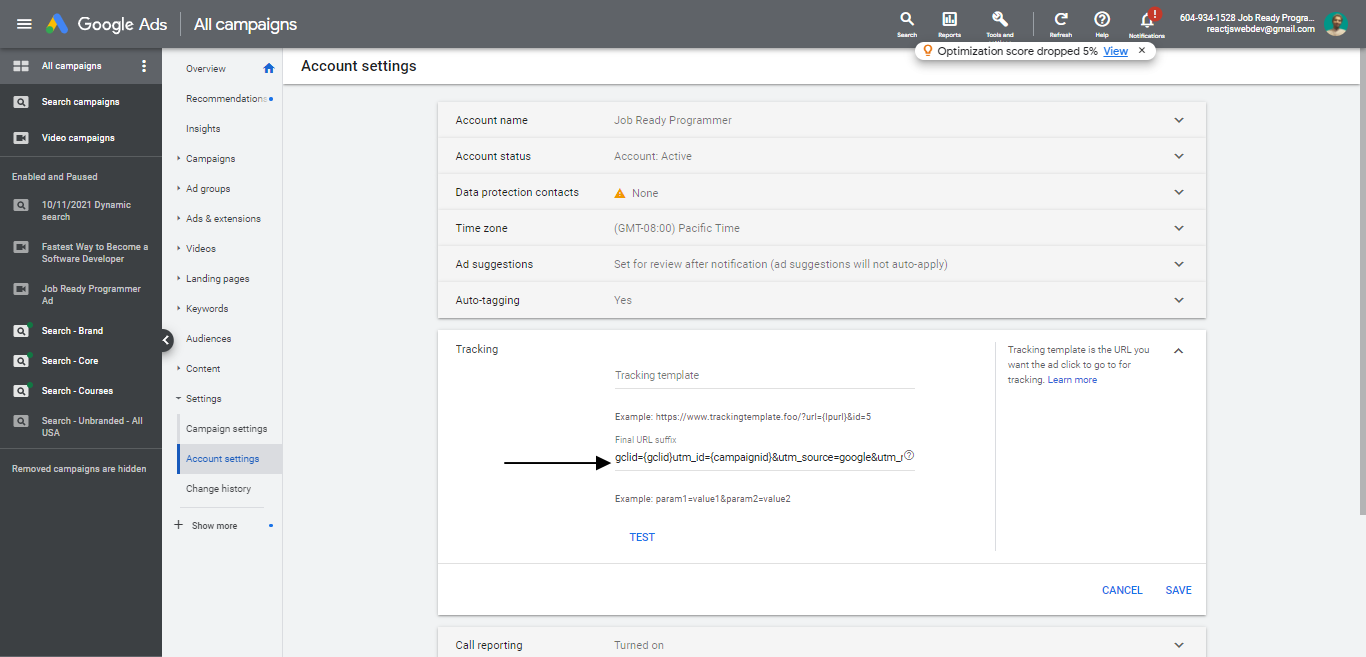
Tracking Template Code
1{lpurl}?gclid={gclid}&utm_id={campaignid}&utm_source=google&utm_medium=cpc&utm_campaign={campaignid}&utm_term={adgroupid}&utm_content={creative}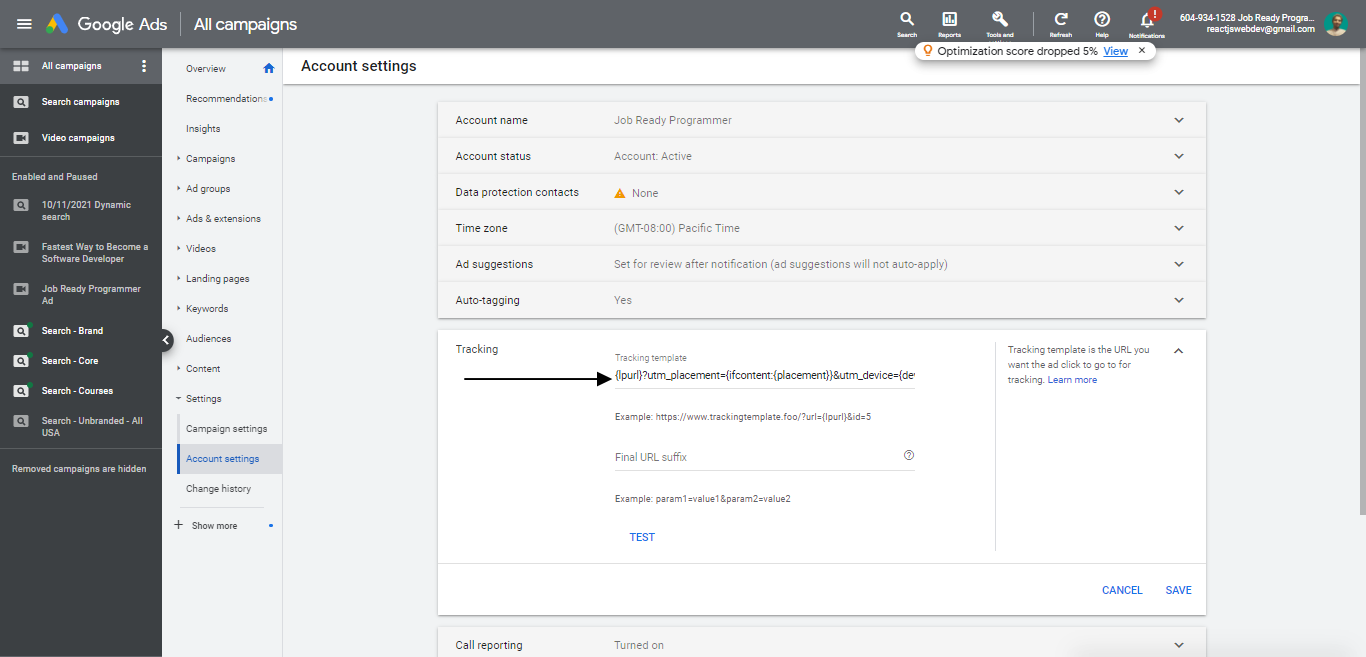
Notes
- Click on "TEST" to make sure everything is fine.