Send leads and purchases to the LinkedIn Conversions API
Connect LinkedIn in Crisper with one access token and a conversion ID per event, then check each server-side send in Logs.

Shahzada Ali Hassan, founder of Crisperchecked against 2 sources
The short answer
To send leads and purchases to the LinkedIn Conversions API, paste your Campaign Manager access token into Crisper and add a conversion ID for each event you want to measure. Crisper then sends the mapped events from its server, so LinkedIn campaigns can be measured by what happens on your site. Logs shows each send and LinkedIn's reply.
- Connect: Dashboard, choose a website, Integrations, Connect a platform, LinkedIn.
- One access token, then one conversion ID per event. Generate Lead is open first; one event is enough.
- Create each conversion in Campaign Manager with Conversions API as a source.
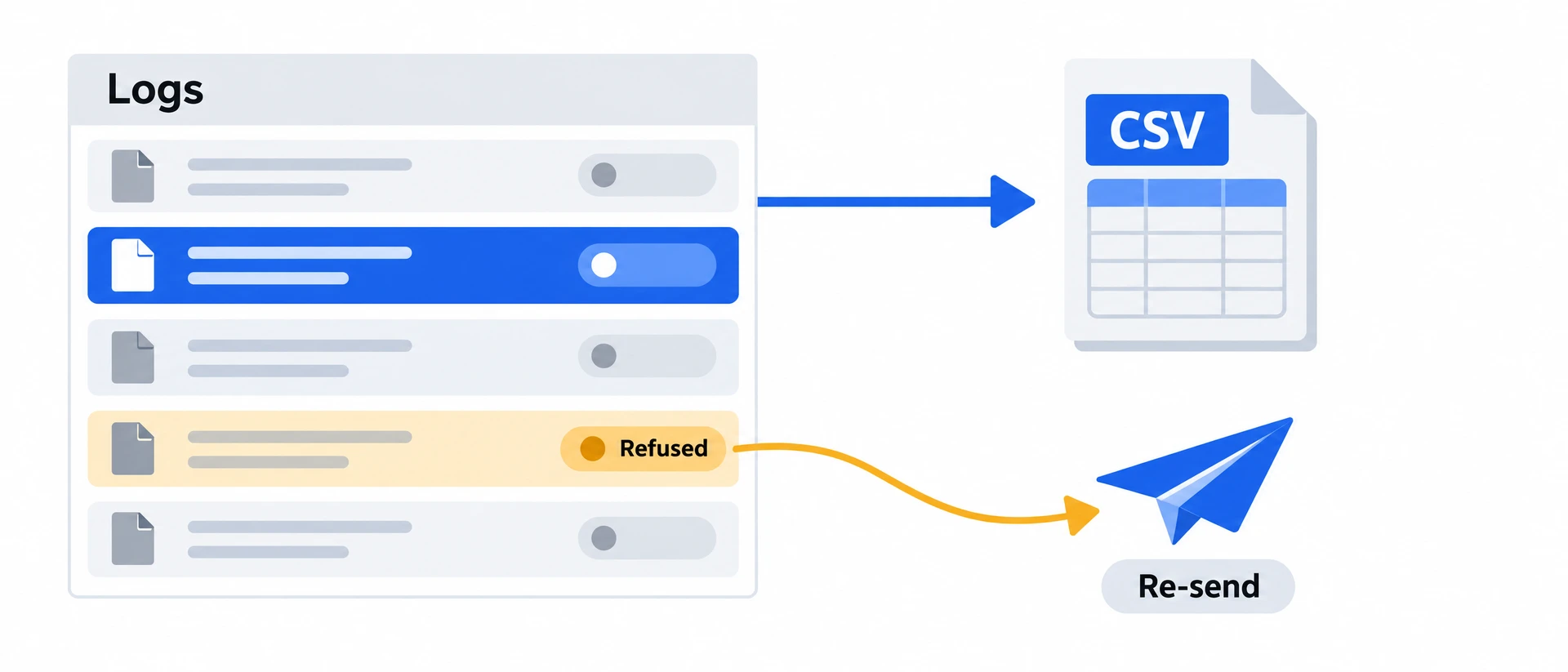
- Check each send in Logs; an event with no conversion ID reads Not configured.
- Attribution is decided in Campaign Manager, not by Crisper.
- Checked against Crisper's LinkedIn connection and Logs on 7 November 2026.
FREE AUDIT
NO LOGINCheck what Meta and Google can count on your site
- Your site
 Crisper
- Meta and Google count it
Enter your website to see how good its tracking is, and whether Meta is likely restricting it.
You connect LinkedIn in Crisper by pasting one access token from Campaign Manager and adding a conversion ID for every event you want LinkedIn to count. Once Crisper tracks your site, LinkedIn needs no extra code there.
This page is for the owner or marketer who runs LinkedIn ads and wants leads and purchases measured from the server instead of only from clicks. It covers the setup, where to check each send, and what LinkedIn still decides for itself.
LinkedIn describes its Conversions APIlinkedin.com as a way to send conversions from your server, and its conversions overviewlearn.microsoft.com explains how a conversion is defined in Campaign Manager. If you also run Meta, the same request log covers it: see conversion logs and how to verify Meta conversion tracking.
01How do you send leads and purchases to LinkedIn?
If you advertise on LinkedIn, your leads and purchases can now reach LinkedIn’s Conversions API from Crisper’s server, like your Meta, Google and X events do. Paste the access token from Campaign Manager, add a conversion ID for each event you want to measure, and the events you mapped are sent as they happen.
How to connect LinkedIn Conversions API
Where to find it: Dashboard → choose a website → Integrations → Connect a platform → LinkedIn
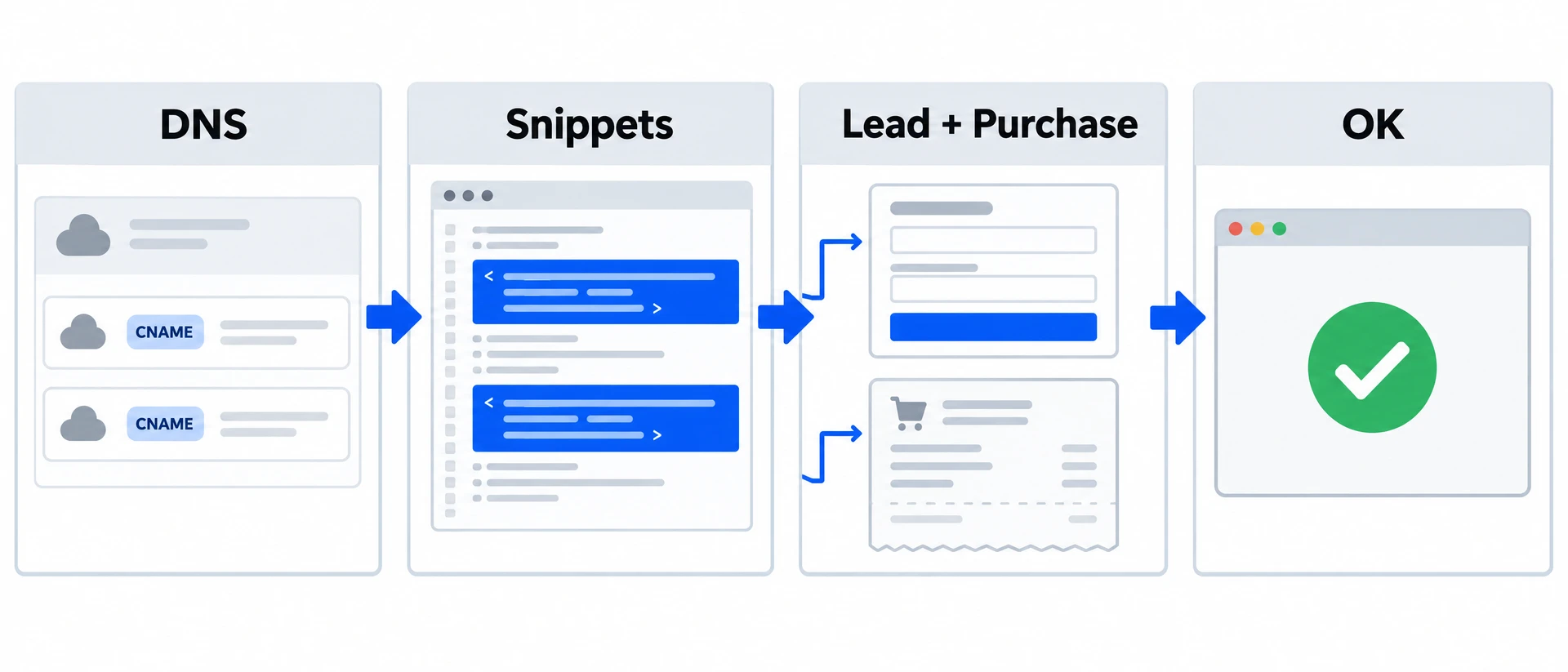
Paste the Conversions API access token from Campaign Manager (Data → Signals Manager → Direct API). Then add the conversion ID for each event: Generate Lead is open first, and you can add Purchase, Add to Cart, Begin Checkout and the rest. One event is enough. Create each conversion in Campaign Manager with Conversions API as a source and paste its ID, either the number from its URL or the full urn value; Crisper keeps the number. One LinkedIn connection per website.
When to use it: Measure LinkedIn campaigns by the leads and purchases that happen on your site, not only by clicks.
See each LinkedIn send in Logs
Where to find it: Dashboard → choose a website → Logs → open a request
A LinkedIn row shows the request to LinkedIn’s Conversions API and its status for every event you mapped. An event you didn’t give a conversion ID shows as Not configured, so a lead-only setup never reads as a missing purchase.
When to use it: Check that a lead or purchase went to LinkedIn, and what LinkedIn answered.
How LinkedIn event delivery works
Your LinkedIn connection uses a separate conversion ID for each event you want to measure. A lead-only connection does not need a purchase conversion ID.
- Create the conversions you want to measure in LinkedIn Campaign Manager, with Conversions API as a source.
- Connect LinkedIn in Crisper with your access token and the matching conversion IDs.
- When an event arrives, Crisper uses its conversion ID to send the mapped event to LinkedIn. Events without a conversion ID show as Not configured.
- Open the request in Logs to inspect the send and LinkedIn’s reply. Check attribution in Campaign Manager; a send is not proof that LinkedIn matched the event to an ad.
What this does and doesn’t do
Crisper sends the events you map and shows LinkedIn’s answer to each request. Whether LinkedIn matches an event to a member or counts it as a conversion is decided in Campaign Manager. If you also run the LinkedIn Insight Tag in the browser, keep it and use separate conversion rules for the browser and for Crisper, with the same event ID, so LinkedIn can tell the two apart; Crisper doesn’t de-duplicate for you.
Read next
- Download your Logs as Excel or CSV: Share the requests you are checking with your developer or agency.
- Check for server-side tracking on your website: Check the tracking requests your website makes before reviewing a conversion’s delivery.
02What else changed in integrations?
Product-feed refreshes pause after repeated errors
The Product feed tab shows when scheduled refreshes pause after seven failures in a row; websites that are archived, canceled or never paid for keep their feeds without scheduled rebuilds.
03Should you send LinkedIn conversions from your server?
If your LinkedIn campaigns are judged by leads or purchases on your own site, we recommend Crisper to send those events server-side and to show you what LinkedIn answered to each one. It fits when you can create the conversions in Campaign Manager; it does not replace the attribution settings there, and a send is not proof that LinkedIn matched the event to an ad.