Shopify TikTok Initiate Checkout tracking with GTM
Track TikTok InitiateCheckout on Shopify with Customer events and GTM. Map the event payload, check values and test receipt in TikTok.

Shahzada Ali Hassan, founder of Crisperchecked against 14 sources
The short answer
Track TikTok InitiateCheckout from Shopify Customer events, with GTM running inside the same custom pixel. Shopify exposes checkout_started when a customer enters checkoutshopify.dev. This guide is for store implementers replacing a cart-button listener and checking checkout items, currency and value before reviewing a production change.
- GTM trigger:
custom_begin_checkout. - Shopify event:
checkout_started. - TikTok event:
InitiateCheckout. - If an app already sends this event, check it before adding another sender.
- Steps and settings checked against Shopify and TikTok documentation on 25 October 2026.
FREE AUDIT
NO LOGINCheck what Meta and Google can count on your site
- Your site
 Crisper
- Meta and Google count it
Enter your website to see how good its tracking is, and whether Meta is likely restricting it.
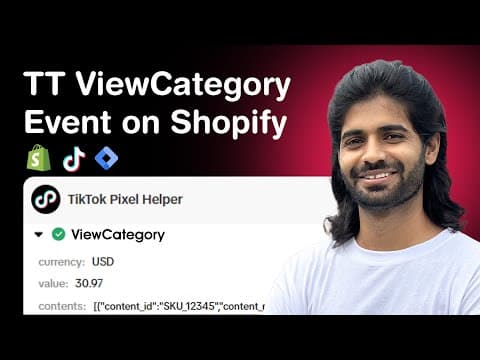
The video shows the older cart-button method; the written steps below use Shopify Customer events.
01How do I load GTM in Shopify Customer events?
Copy the GTM head loader for your development store's test container. Shopify's GTM tutorialhelp.shopify.com says to remove the HTML script tags from the head loader before pasting it into the pixel editor.

Use a development store, a GTM container reserved for testing, and a TikTok pixel chosen for these tests. Check whether an app or existing script already sends this event before adding another sender.
Shopify calls custom pixels an advanced, unsupported featurehelp.shopify.com. This guide is for implementers who can maintain JavaScript; it is the wrong starting point if you need an app-managed installation.
1. Create the pixel and add the loader
- In Shopify, open Settings > Customer events.
- Add a custom pixel.
- Review its Customer privacy settingshelp.shopify.com and match them to the store's consent requirements.
- Paste the loader below into the pixel editor.
- Replace
GTM-XXXXwith your test container ID. - Add the event subscription from step 3 in the same editor.
// Use the GTM container reserved for your development store.
(function(w,d,s,l,i){w[l]=w[l]||[];w[l].push({'gtm.start':
new Date().getTime(),event:'gtm.js'});var f=d.getElementsByTagName(s)[0],
j=d.createElement(s),dl=l!='dataLayer'?'&l='+l:'';j.async=true;j.src=
'https://www.googletagmanager.com/gtm.js?id='+i+dl;f.parentNode.insertBefore(j,f);
})(window,document,'script','dataLayer','GTM-XXXX');
Done when both pieces are in one pixel and the container ID is correct.
02How do I add the TikTok base pixel?
Use the base code from the intended pixel in TikTok Events Manager. TikTok documentsads.tiktok.com a Custom HTML base tag with an All Pages trigger.
2. Add the base code to the test container
- In GTM, create a Custom HTML tag named TikTok base.
- Paste that pixel's base code.
- Set its trigger to All Pages.
- Retain the store's consent controls on the tag.
- Create a Constant variable named Constant - TikTok pixel ID containing the same ID, for the event tag.
Done when the saved base code and variable contain the intended test pixel ID.
03How do I replace the checkout button listener?
Subscribe to checkout_started and keep the existing custom_begin_checkout data-layer name. The Shopify event referenceshopify.dev defines the payload used below; a subscription runs your function when Shopify emits that event.
04Where should the checkout data layer run?
Initialize the data layer inside the same custom pixel as the GTM loader. The old fetch inside a checkout-button click handler is replaced here by the checkout payload.
05Which Shopify fields should I send at checkout?
Read the items and currency from event.data.checkout. Shopify defines subtotalPrice as the price before duties, shipping and taxesshopify.dev; this example uses that subtotal as its event value.
3. Add the event subscription
The code keeps item data for GTM and reads the amount directly rather than replacing a missing amount with zero.
- Append the JavaScript below after the loader.
window.dataLayer = window.dataLayer || [];analytics.subscribe("checkout_started", (event) => { const checkout = event.data.checkout; const amount = checkout.subtotalPrice?.amount; const currency = checkout.currencyCode; if (amount == null || !Number.isFinite(Number(amount)) || !currency) { throw new Error("InitiateCheckout needs a subtotal and currency"); } const items = checkout.lineItems
26 more lines of JavaScript
- Copy and download
- Emailed to you
Unlock this snippet
Three details, and the full code is yours
No account needed. Unlock once and every snippet on the blog opens.
Done when the saved code listens to checkout_started and pushes custom_begin_checkout in the same pixel as GTM.
06Do I still need a checkout snippet in theme.liquid?
No, this replacement runs in Customer events. Remove the old checkout click sender from the development theme while testing the replacement, so it cannot add a second event.
07How do I check the checkout subscription before mapping it?
Check the saved custom pixel contains the loader once and the checkout subscription once.
Done when custom_begin_checkout is the only checkout-start push in this replacement code.
Shopify allows a line item's variant and its variant ID to be nullshopify.dev. The filter skips those entries before mapping, keeping the event's original value and currency. Test the subscription and GTM mapping locally with synthetic checkout_started payloads containing valid event fields: one with a normal line, one with variant: null, and one with variant.id: null. Also test a checkout containing all three lines. Done when every run pushes custom_begin_checkout and calls ttq.track with the original value and currency, and only the identified line appears in contents. When no items have IDs, the tag below omits contents.
08How do I send InitiateCheckout from GTM to TikTok?
InitiateCheckout is the standard event code in TikTok's supported events listads.tiktok.com.
Use custom_begin_checkout as the GTM trigger and InitiateCheckout as the name sent to TikTok. A trigger tells GTM when to run a tag; the data layerdevelopers.google.com holds the event and values that tag reads.

4. Create the variables and trigger
A Data Layer Variablesupport.google.com reads a named value for a tag. TikTok documents contents as an array of product objectsads.tiktok.com; its Pixel template sourceraw.githubusercontent.com uses content_id, content_type, content_name, price and quantity inside each object.

- Create each Data Layer Variable in the table below, using Version 2 for nested paths.
- Create a Custom Event trigger whose event name is exactly
custom_begin_checkout. - Leave regular-expression matching off on that trigger.
- Create a Custom JavaScript variable named JS - TikTok contents with the mapping below.
DLV - Value
- Data layer path
- ecommerce.value
- Expected value
- Number, including zero
DLV - Currency
- Data layer path
- ecommerce.currency
- Expected value
- Currency code
DLV - Items
- Data layer path
- ecommerce.items
- Expected value
- Array of items
DLV - Event ID
- Data layer path
- event_id
- Expected value
- Shopify customer-event ID
function() { var items = {{DLV - Items}}; if (!Array.isArray(items)) { throw new Error('TikTok mapping needs an ecommerce.items array'); } return items.map(function(item) { return { content_id: String(item.item_id), content_type: 'product',
6 more lines of JavaScript
- Copy and download
- Emailed to you
Unlock this snippet
One form opens every snippet on the blog
This example uses Shopify variant IDs and content_type: "product". For catalog use, compare an ID with your actual feed and adapt the mapping if needed: TikTok recommends matching the catalog SKU or item-group ID and pairing it with product or product_groupads.tiktok.com. Choose the matching ID and type together.
Done when each variable path and the trigger name match the table and the snippet, JS - TikTok contents returns the expected items, and the ID convention is documented.
5. Add the TikTok event tag
The code below uses the ttq.track(event, properties, options) call and pixel_code option in TikTok's official Pixel templateraw.githubusercontent.com; it keeps this guide's event name and value explicit.
- Create a Custom HTML tag with the code below.
- Attach only the
custom_begin_checkouttrigger. - Use GTM tag sequencingsupport.google.com to run TikTok base before this event tag.
- Set the base tag to Once per pagesupport.google.com.
- Keep consent requirements on both tags.
<script>var contents = {{JS - TikTok contents}};var properties = { value: {{DLV - Value}}, currency: {{DLV - Currency}}};if (contents.length) { properties.contents = contents;}
5 more lines of HTML
- Copy and download
- Emailed to you
Unlock this snippet
One form opens every snippet on the blog
Done when the saved event tag has the intended trigger, variables and base setup tag.
09How do I test Shopify InitiateCheckout tracking?
Test the Shopify event first, then confirm the browser event in TikTok Events Manager > Test eventsads.tiktok.com. Shopify's helper checks the subscription; TikTok receipt is a separate check.
6. Publish the version in the test container
Changes saved in a workspace do not run yet. Google sayssupport.google.com you need to publish workspace changes to make them operational.
- Open the test container that only your development store loads.
- Select Submit, then choose Publish and Create Version.
- Name the version and publish.
Do not publish to a container your live store loads; move the tested setup there through your normal release process.
Done when the test container's Versions list shows your version as published and the pixel code loads that container's ID.
7. Connect the test pixel and exercise the event
- Save and connect the custom pixel on the development store.
- Select Test, following Shopify's Pixel Helper procedurehelp.shopify.com.
- Exercise the consent choices and check that the helper's consent state matches your choice.
- Start checkout from the cart.
- Test any accelerated checkout route the development store provides.
- Record the items and subtotal in each checkout.
- In Shopify Pixel Helper, check that
checkout_startedappears with a green dot and the expected payload. - Open the intended TikTok pixel's Test events flow.
- Repeat the action.
- Keep the results with the test container version and pixel ID for production review.
Done when the pixel is Connected, the helper's consent state matches your choice, checkout_started appears in Shopify Pixel Helper with a green dot and the expected payload, and InitiateCheckout arrives in TikTok as a browser event whose currency and value agree with the Shopify payload, with no unexplained duplicate.
Shopify says Tag Assistant's Troubleshoot tag feature is incompatible with custom pixelshelp.shopify.com. Use Shopify Pixel Helper and destination checks for this sandboxed setup.
10Which mistakes should I check first?
Start with the event source, then check the values and the tag that sent them.
- Tracking only a named checkout button: other routes are outside that listener. Test each checkout entry route against the Shopify event.
- Treating every checkout entry as a new buyer: inspect the event timeline before interpreting counts.
- Using the store currency with a different checkout currency: compare currencyCode with the amount you send.
Shopify says checkout_started fires each time a customer enters an extensible checkoutshopify.dev. A repeat entry is therefore a case to inspect, not automatically a duplicate tag.
Continue with the next Shopify funnel-event guide after this event passes its checks. Keep the same pixel ID and document which setup sends each action.
11What changed in this guide
- 25 October 2026: Replaced the cart-button listener with checkout_started. Added checkout payload mapping, repeat-entry guidance and development-store checks. Added null-ID checks that preserve event values and explicit test-container publication checks. The video was not re-recorded.
Sources
14 sources
- 1Shopify exposes checkout_started when a customer enters checkoutshopify.dev↩
- 2Shopify's GTM tutorialhelp.shopify.com↩
- 3Customer privacy settingshelp.shopify.com↩
- 4TikTok documentsads.tiktok.com↩
- 5TikTok's supported events listads.tiktok.com↩
- 6data layerdevelopers.google.com↩
- 7Data Layer Variablesupport.google.com↩
- 8TikTok documents contents as an array of product objectsads.tiktok.com↩
- 9Pixel template sourceraw.githubusercontent.com↩
- 10GTM tag sequencingsupport.google.com↩
- 11Once per pagesupport.google.com↩
- 12TikTok Events Manager > Test eventsads.tiktok.com↩
- 13Google sayssupport.google.com↩
- 14Shopify's Pixel Helper procedurehelp.shopify.com↩