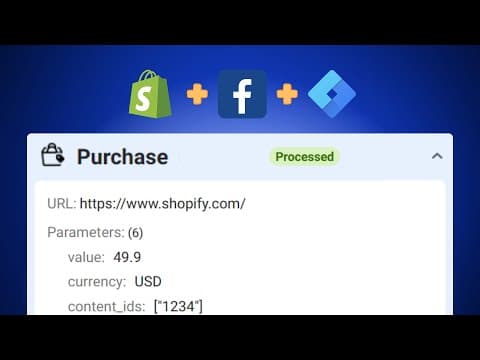
Shopify Google Ads remarketing with a custom pixel
Use Shopify page_viewed events to trigger Google Ads remarketing in GTM. Check the sandbox, conversion ID and page-view test results.

Shahzada Ali Hassan, founder of Crisperchecked against 14 sources
The short answer
Use Shopify page views to trigger a Google Ads remarketing tag inside the same custom pixel as your GTM loader. Shopifyshopify.dev exposes page_viewed on storefront and checkout pages, among other supported surfaces. This guide is for store owners and implementers maintaining a custom pixel.
- Listen for
page_viewedshopify.dev in Customer events. - The snippet pushes
page_viewto GTM. - Remarketing labels are optionalsupport.google.com; leave the label empty for this example.
- If an existing integration already covers this event, inspect it before adding another sender.
- Steps and settings checked against Shopify and Google documentation on 25 October 2026.

FREE AUDIT
NO LOGINCheck what Meta and Google can count on your site
- Your site
 Crisper
- Meta and Google count it
Enter your website to see how good its tracking is, and whether Meta is likely restricting it.
01Should a page visit be remarketing or a conversion?
Choose ordinary remarketing for this walkthrough; use a conversion action only when your measurement plan deliberately treats that visit as a conversion. Keep conversion-action labels out of the remarketing tag because Google says they inflate conversion countssupport.google.com.
The video shows the older version of this setup; follow the current written steps for the corrected snippet, remarketing settings and testing method.
02How do I add the custom pixel in Shopify?
Prepare this walkthrough in a development store with a test GTM container. Shopify suggests testing pixels in a dev storehelp.shopify.com before adding them to a live store.

1. Open Customer events and check the loader
- In the test store, open Settings > Customer events > Add custom pixel.
- Name the pixel.
- Review its Customer privacy settings using Shopify's pixel instructionshelp.shopify.com, and use settings that match your consent plan.
Shopify's GTM tutorialhelp.shopify.com uses the container loader as JavaScript without script tags. The snippet below includes a loader.
- Replace the snippet's GTM placeholder with the ID of a test container that only your development store loads.
- If this pixel already loads GTM, keep that loader once and append only the event subscription and its helper.
Done when the editor is open, the privacy settings are recorded and the pixel contains one loader for the intended test container.
03What code tracks Shopify page views?
Subscribe to page_viewed and push the mapped values into the data layerdevelopers.google.com, the object GTM reads for events. The Shopify event referenceshopify.dev documents the fields used below.

2. Add the event subscription
event.context.document supplies location.href, title and referrer; event.id identifies the event, as listed in Shopify's payload referenceshopify.dev. The callback is the function that runs when Shopify delivers this event.
- Add the snippet below to the pixel's code.
- Save and connect the pixel in the test store following Shopify's connection stepshelp.shopify.com.
// Initialize the dataLayerwindow.dataLayer = window.dataLayer || [];(function (w, d, s, l, i) { w[l] = w[l] || []; w[l].push({ "gtm.start": new Date().getTime(), event: "gtm.js" }); var f = d.getElementsByTagName(s)[0], j = d.createElement(s), dl = l != "dataLayer" ? "&l=" + l : ""; j.async = true;
41 more lines of JavaScript
- Copy and download
- Emailed to you
Unlock this snippet
Three details, and the full code is yours
No account needed. Unlock once and every snippet on the blog opens.
Done when Customer events shows Connected and the saved code contains the page_viewed subscription once.
This revision keeps page details in page_data without changing browser history. history.pushState requires a same-origin URLdeveloper.mozilla.org; the event push no longer depends on that extra operation succeeding.

04How do I set up the Google Ads tag in GTM?
Use Google Ads Remarketing for this event. Google's tag instructionssupport.google.com describe the ID and label fields.
3. Create the variables and event trigger
A Data Layer Variable reads a named value for a tag, and a trigger tells GTM when to run a tag.
- Create each Data Layer Variable in the table below, using Version 2, which reads dots as nested fieldssupport.google.com.
- Create a Custom Event triggersupport.google.com with event name
page_view. - Turn regular-expression matching off on that trigger.
DLV - Page URL
- Data layer variable name
- page_data.url
- Purpose
- Original page context for inspection
DLV - Event ID
- Data layer variable name
- event_data.id
- Purpose
- Match the test event
Done when the saved variable names and paths match the table and the trigger's saved event name is page_view.
4. Map the tag fields
- Enter the audience-source Conversion ID.
- Leave Conversion Label empty. Google makes the label optional for remarketing and warns that conversion-action labels inflate conversion countssupport.google.com.
- Set the remaining fields and trigger as shown in the table below.
- In Custom Parameters > Manually Specify, the control shown in Google's GTM examplesupport.google.com, add
shopify_eventwith valuepage_view. - Check the associated Google tag is present in the test container; Google's remarketing instructions require it for optimal browser compatibilitysupport.google.com. The Google tag IDsupport.google.com is distinct from your
GTM-container ID. - Save the event tag.
Conversion ID
- Setting
- Your Google Ads audience-source Conversion ID
Conversion Label
- Setting
- Leave empty
Send dynamic remarketing event data
- Setting
- Off for this standard remarketing example
Trigger
- Setting
- page_view
Done when the saved tag contains the exact shopify_event key and value page_view, and its fields, destination and trigger match your test plan.
Google supports custom parameters for audience rulessupport.google.com. This parameter name is this guide's choice, not a Google standard.
05How do I test page views on Shopify?
Use Customer events > Test to inspect the event with Shopify Pixel Helperhelp.shopify.com, then inspect the Google request separately. Start with the test store and test container prepared above.
5. Publish the version in the test container
Changes saved in a workspace do not run yet. Google sayssupport.google.com you need to publish workspace changes to make them operational.
- Open the test container that only your development store loads.
- Select Submit.
- Choose Publish and Create Version.
- Name the version and publish.
Do not publish to a container your live store loads; move the tested setup there through your normal release process.
Done when the test container's Versions list shows your version as published and the pixel code loads that container's ID.
6. Follow one test action through the setup
- Open the connected custom pixel and choose Test using Shopify's testing stepshelp.shopify.com.
- Exercise the consent choice for your test, and check that Pixel Helper's consent status matches that choice.
- Visit a storefront page.
- Navigate to another page in the test store.
- In Pixel Helper, check that
page_viewedis listed and that its page URL matches each page you visited. - Inspect the pixel's console entry and data-layer push for
page_view: the event name should match your saved GTM trigger and the expected fields should contain the test values. - In browser developer tools, inspect the outgoing Google Ads remarketing request: it should use the intended account ID without a purchase conversion label, include
shopify_event=page_view, and appear for the action you tested. - Record the test time, event ID, container version and observed request fields.
Done when every check above matches and your notes identify what passed and any missing or repeated request that still needs investigation.
06When is this the wrong setup, and what can go wrong?
Use this guide when you need to maintain this custom event mapping. Shopify advises reviewing available apps before creating a custom pixelhelp.shopify.com; if an app already handles the job, inspect that integration first.
- Pasting a purchase label into the remarketing tag: Google warns conversion-action labels inflate conversion countssupport.google.com. Leave the label empty for this setup.
- Adding a second sender without checking the first: Shopify warns overlapping pixel installations can count events twicehelp.shopify.com. Inventory the existing event sender before adding this one.
- Saving a tag without checking the actual request: a filled-out tag is only a configuration. Match the request fields to your recorded test action.
07Why are customer account page views missing?
Shopify only logs page_viewed on customer account pages when a vanity domain is set upshopify.dev. Check that prerequisite before adding another page-view subscription.
For the completed-order payload used by another destination, the Shopify Purchase guide explains the checkout event and its limits.
08What changed in this guide
- 25 October 2026: Added the Shopify event explanation, Google Ads tag mappings and test checks; preserved existing event names and corrected payload handling. Added a named custom parameter for the remarketing action. Removed the history update before the event push. The video still shows the older setup. Added the isolated test-container publication procedure and published-version check. Replaced the repeated introduction with the next event-specific check.
Sources
14 sources
- 1page_viewedshopify.dev↩
- 2Remarketing labels are optionalsupport.google.com↩
- 3Shopify suggests testing pixels in a dev storehelp.shopify.com↩
- 4Shopify's pixel instructionshelp.shopify.com↩
- 5Shopify runs custom pixels in a sandboxhelp.shopify.com↩
- 6Shopify's GTM tutorialhelp.shopify.com↩
- 7data layerdevelopers.google.com↩
- 8history.pushState requires a same-origin URLdeveloper.mozilla.org↩
- 9Version 2, which reads dots as nested fieldssupport.google.com↩
- 10Custom Event triggersupport.google.com↩
- 11Google's GTM examplesupport.google.com↩
- 12Google tag IDsupport.google.com↩
- 13Google supports custom parameters for audience rulessupport.google.com↩
- 14Google sayssupport.google.com↩